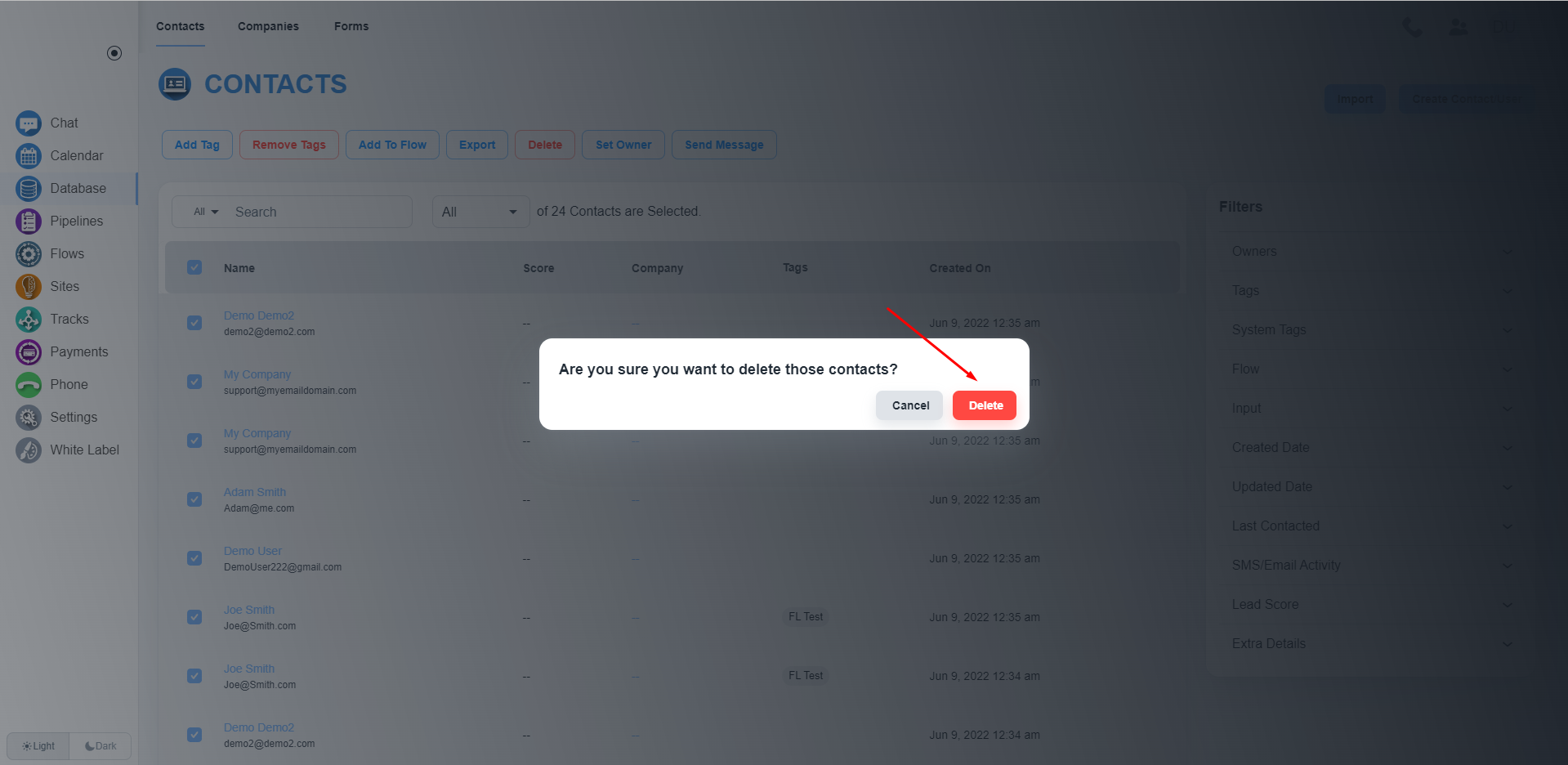
Steps to delete all contacts
Open contact list
Please, navigate to the ‘Database’ on the left side menu. You will get the list of all contacts
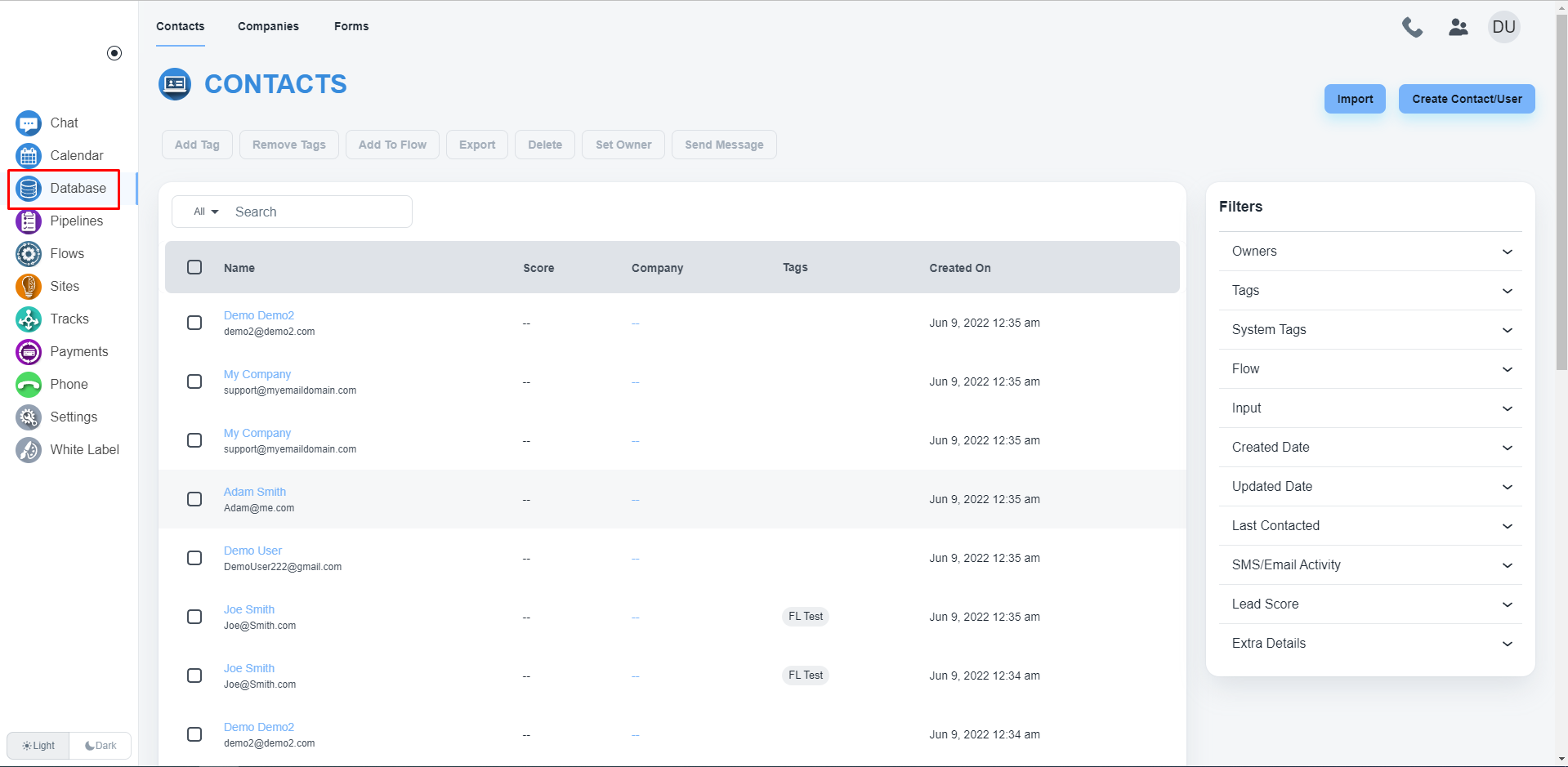
Select all contacts
Please, check the checkbox to select all contacts. After clicking the checkbox, the system will allow you the dropdown to select the ‘All’ option.
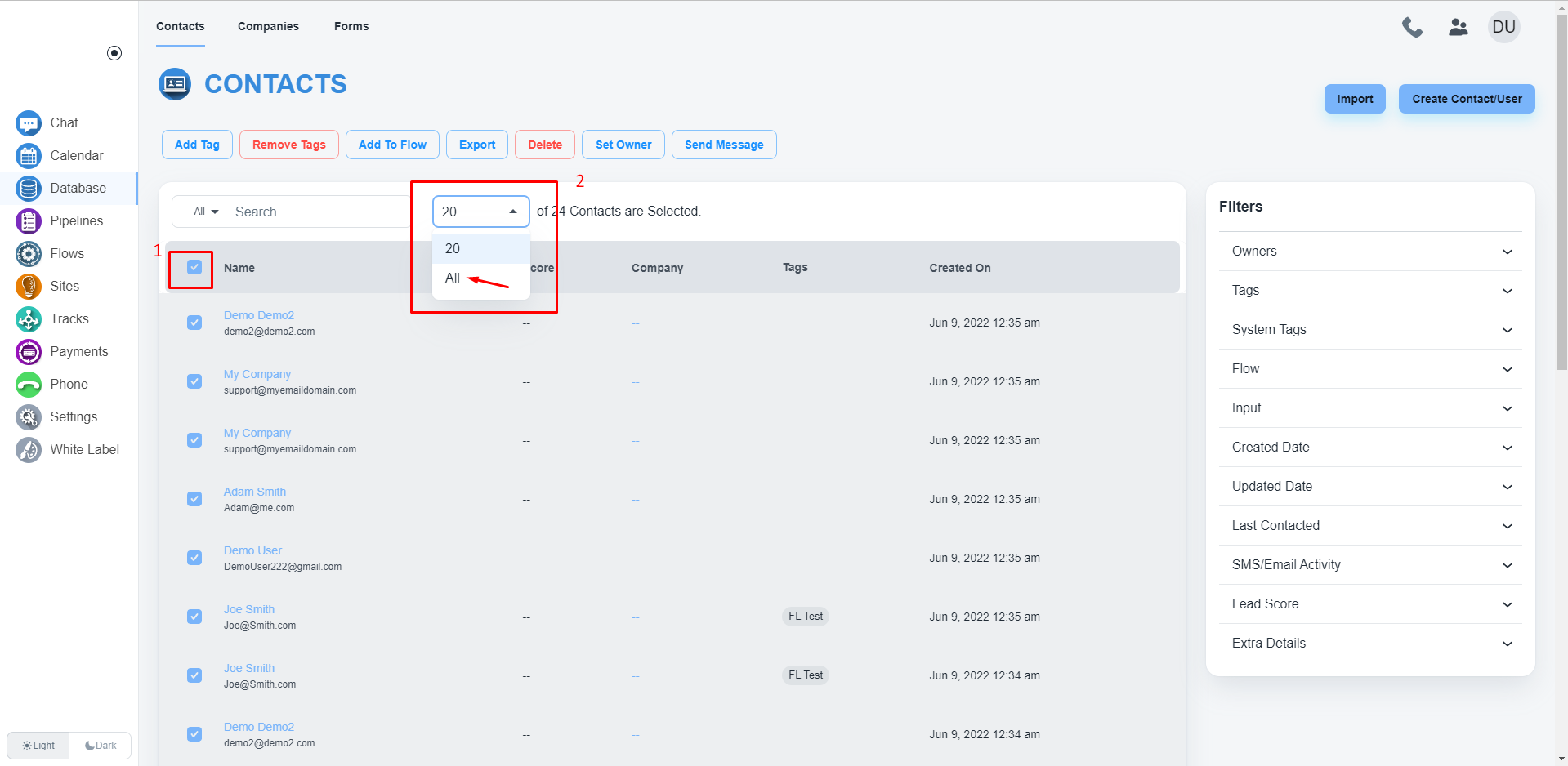
Delete contacts
After selecting all contacts, click on the ‘Delete’ button to delete all contacts
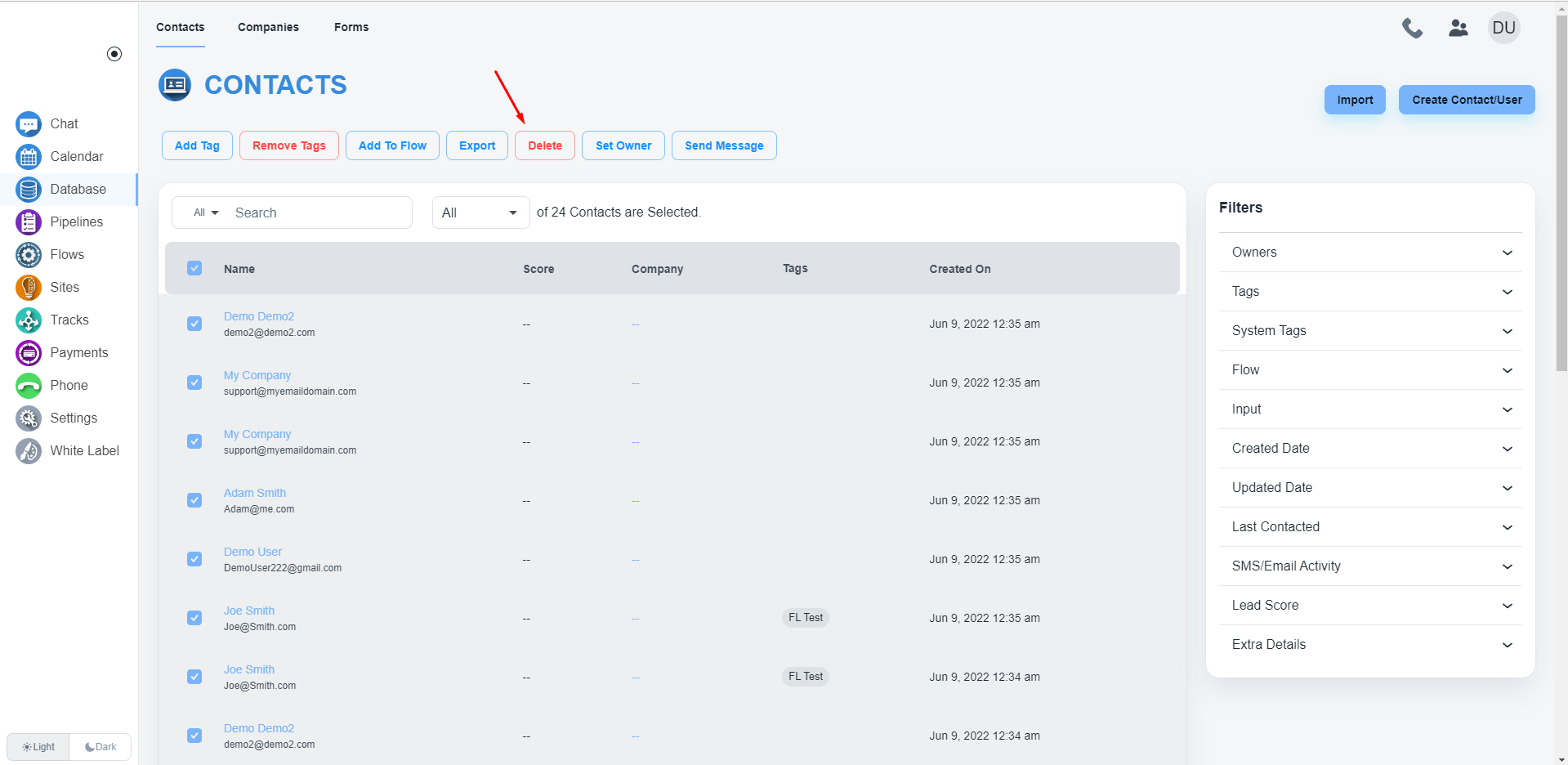
Please, confirm the delete process.