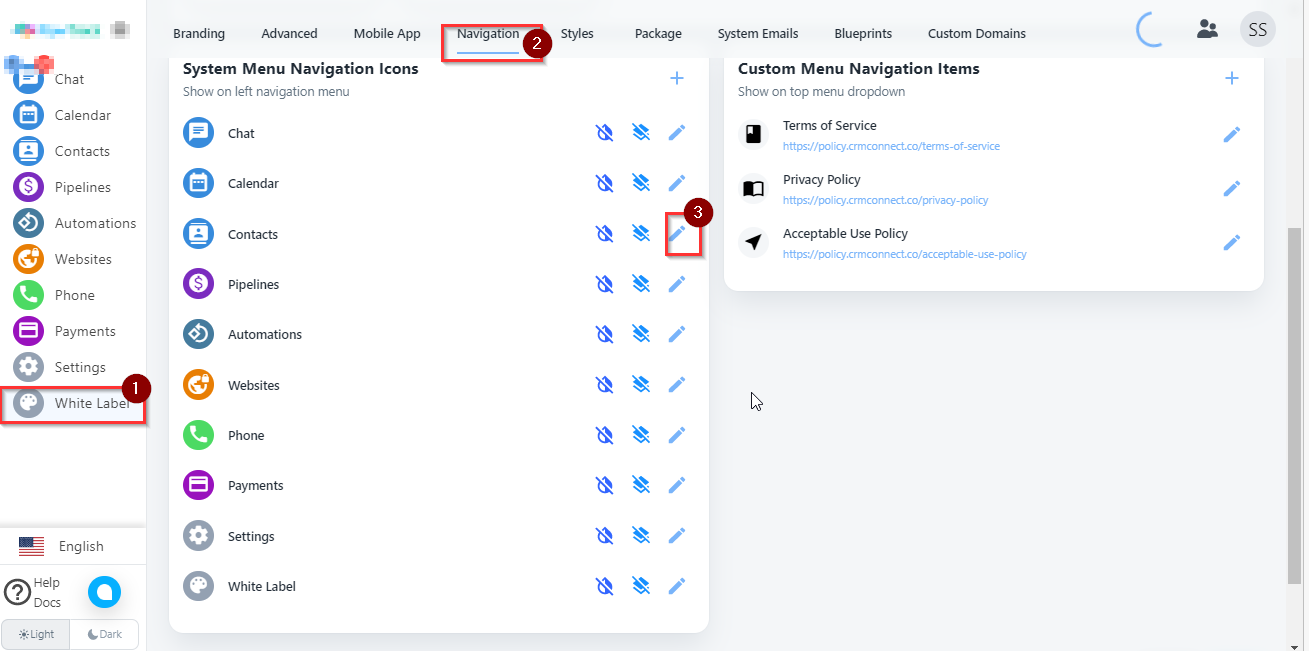
- Select White label option from left side of menu than click on navigation option. Select edit option from here. Here I can edit contact with database.
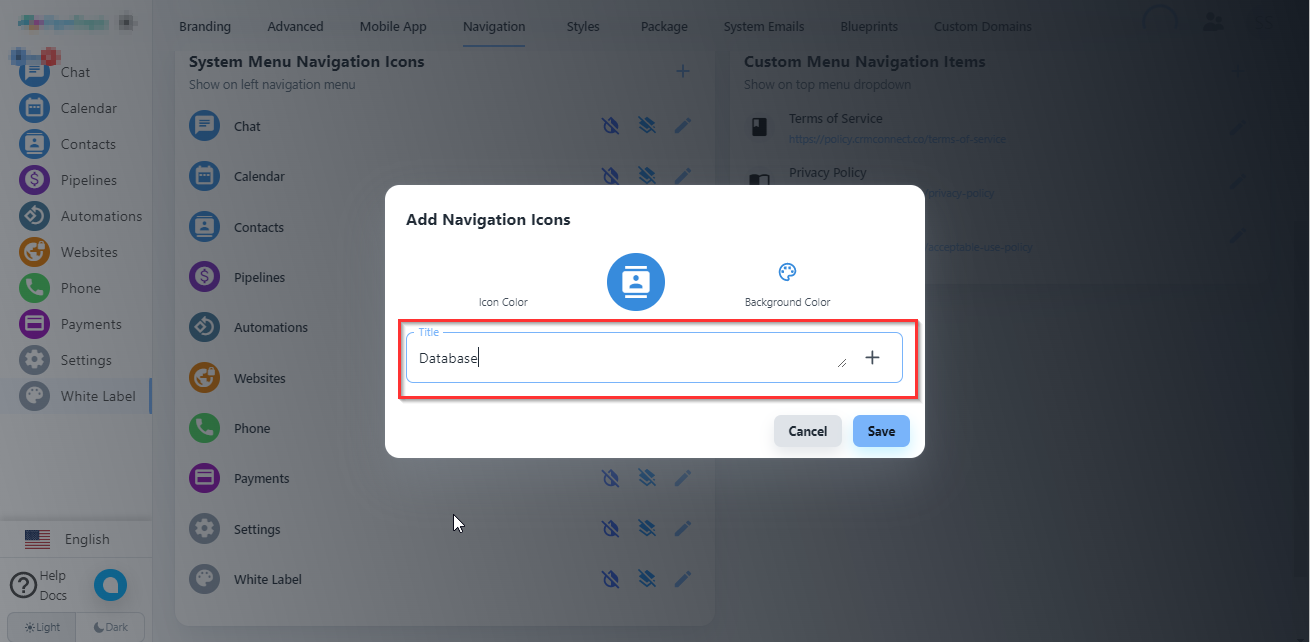
2. Set new name here and click on save button.
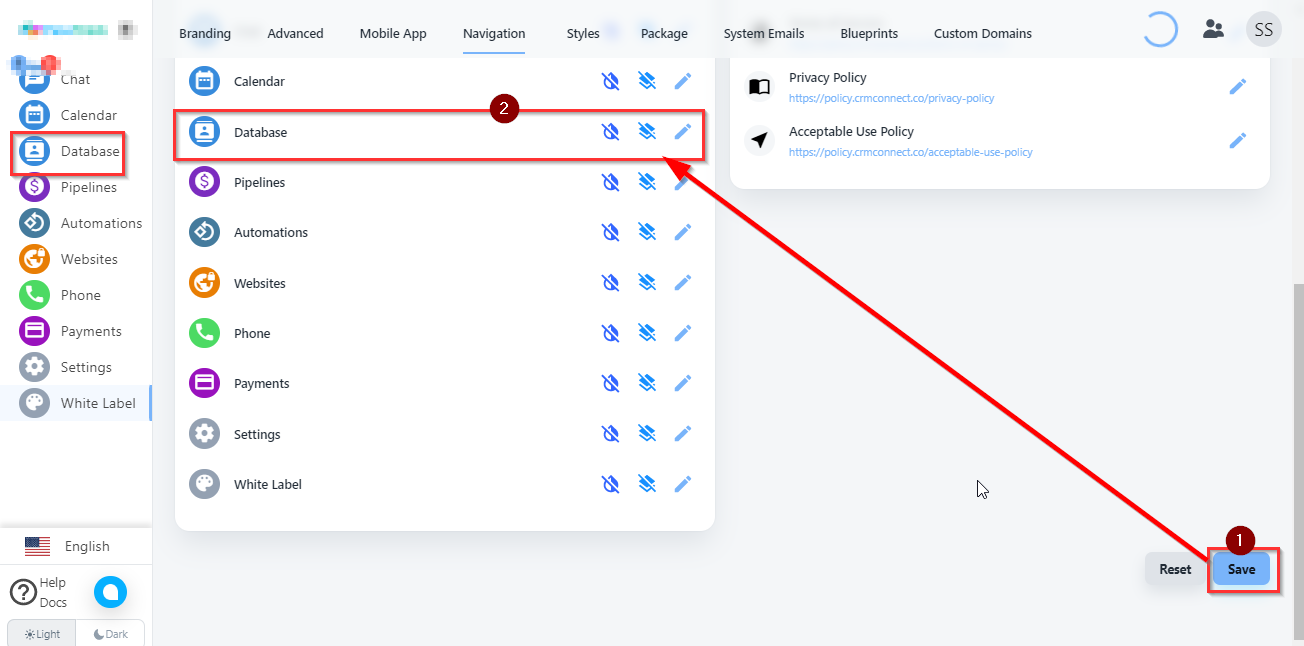
3. Click on this save button here you can see Contact is change with Database.