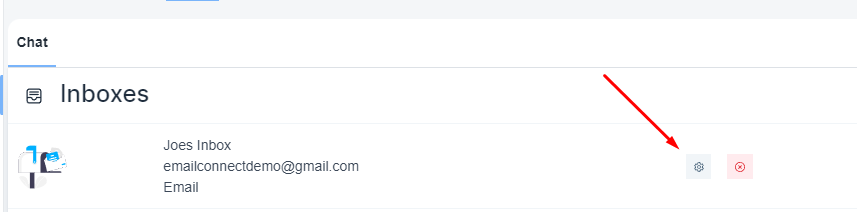
Steps to configure/find the settings of my existing inbox
Please, navigate to the ‘Chat’ icon on the left menu bar. Once the page is loaded, click on the e ’Inbox’ menu on the top menu bar.

Select the concerned email inbox and click on the setting icon
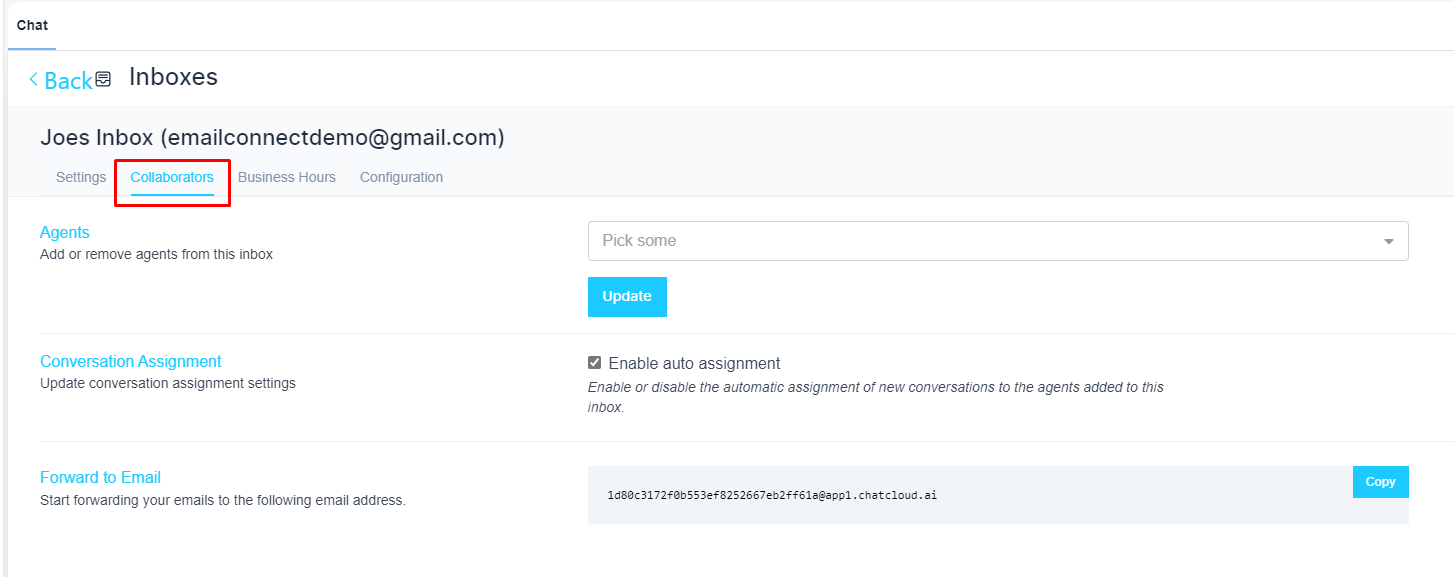
Under the ‘Collaboration’ tab, you can assign an agent for your email inbox
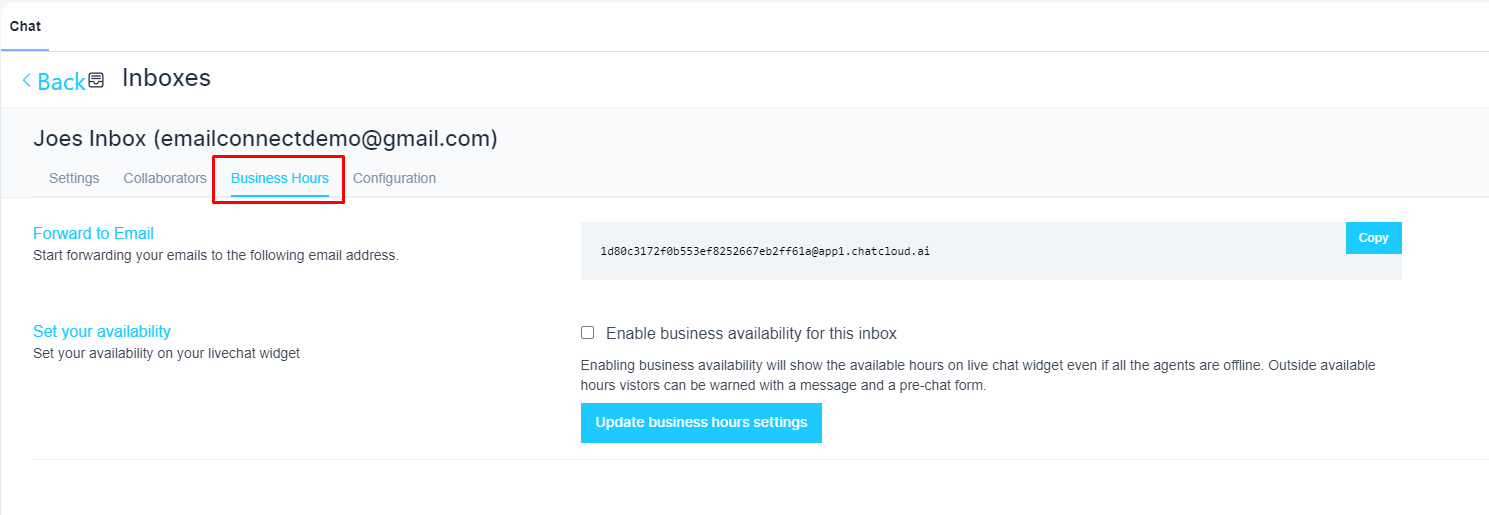
Under the ‘Business Hour’ tab, you can configure working hour for this email inbox
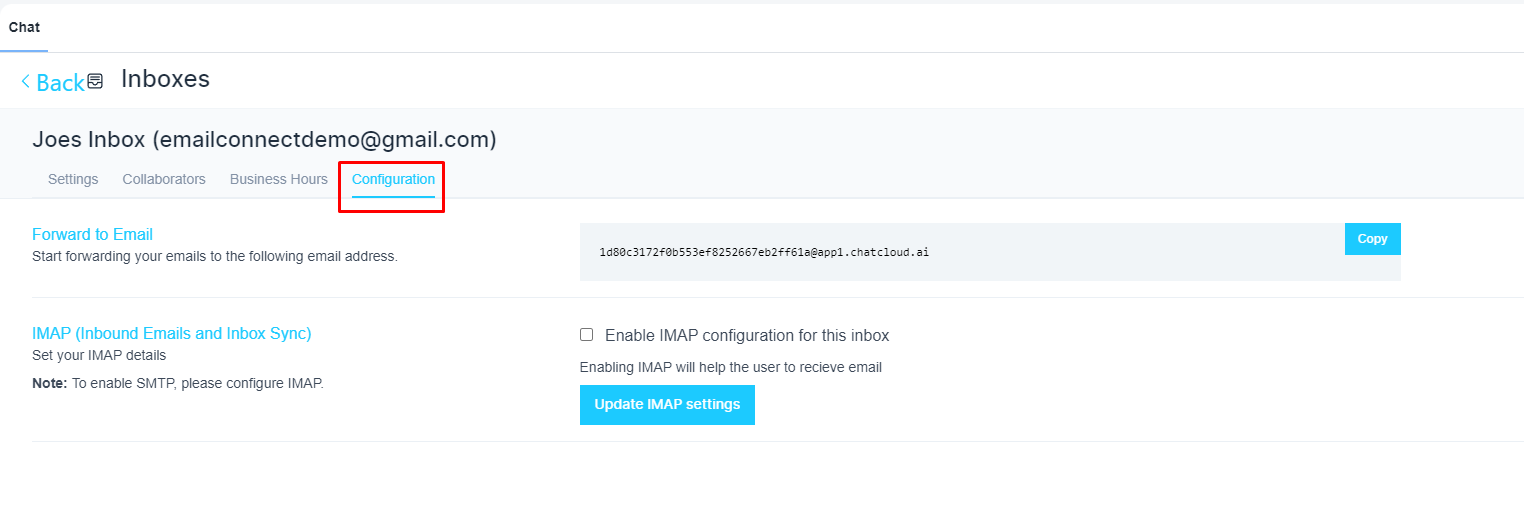
Under the configuration tab, you will have the forwarding email address to receive inbound emails. Also, you can configure IMAP, and SMTP details here.