Steps to dynamic fields in the email builder
Load the email builder
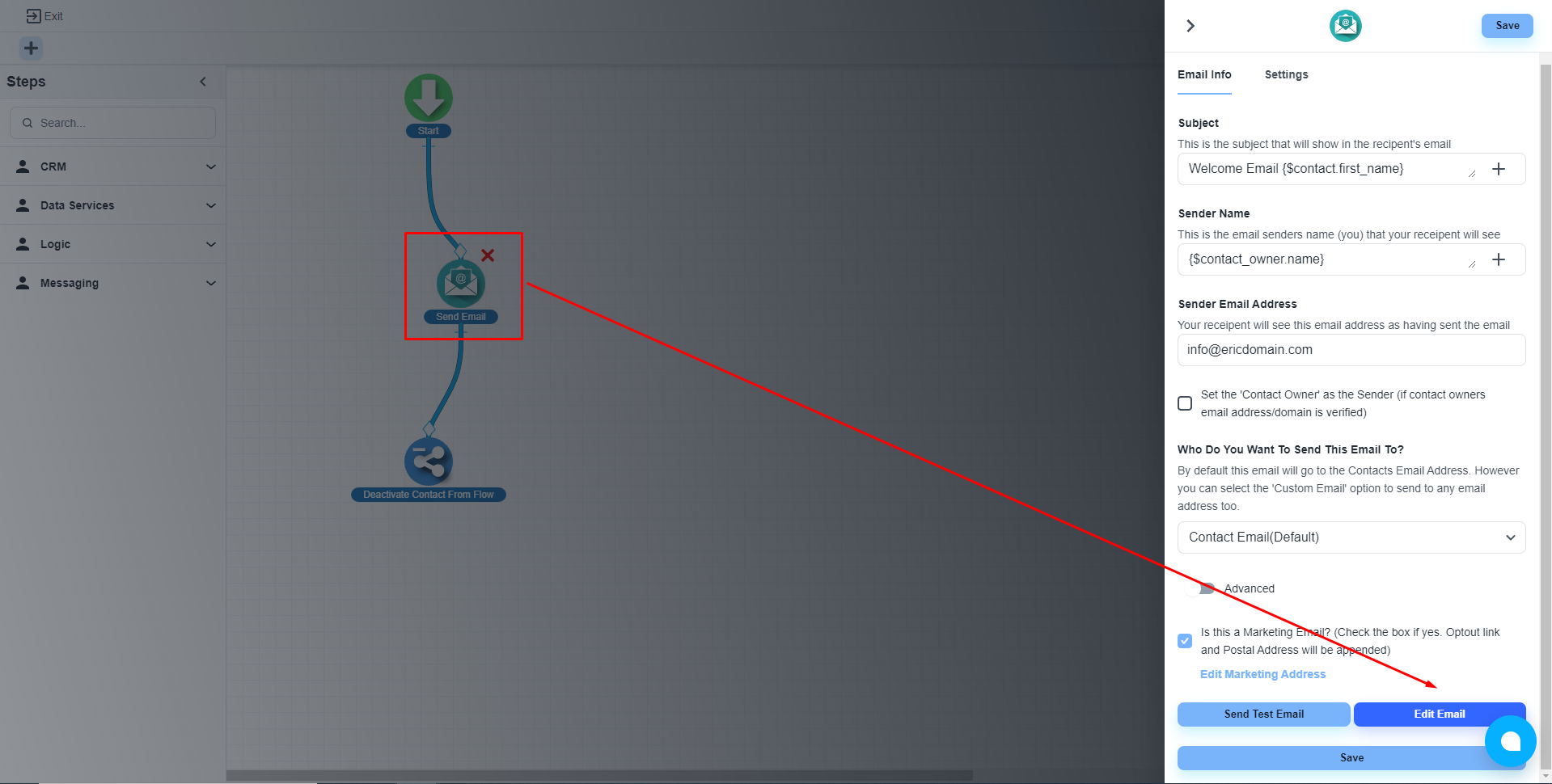
Please, click on the email step and navigate to the ‘Edit Email’ button.
Add the dynamic fields
The system will load the email building editor. Now, click on the ‘Insert Merge Field’ to add the dynamic fields.
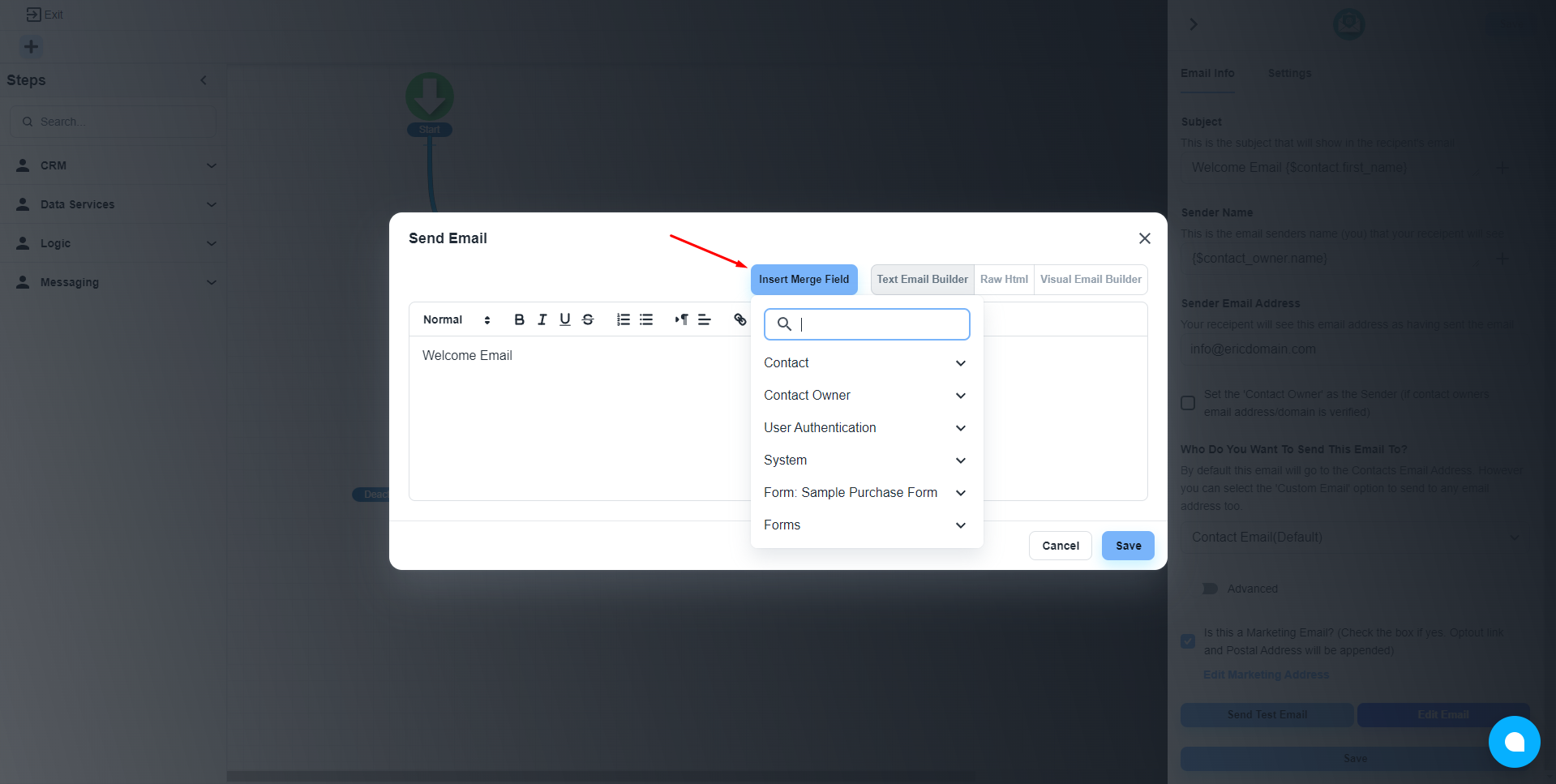
💡 After clicking on any dynamic field, the system will automatically copy the field in the clipboard. Then you only need to paste the field data on the required position.